The Ultimate Guide to Blip: Revolutionizing Cross-Platform File Transfers
Blip is a fast cross-platform file transfer app for Windows, Mac, Linux, Android, and iPhone. Learn how Blip works, its features, security, pricing, pros, cons, and whether it’s the best AirDrop alternative in 2026.
Author
Shalimar Mehra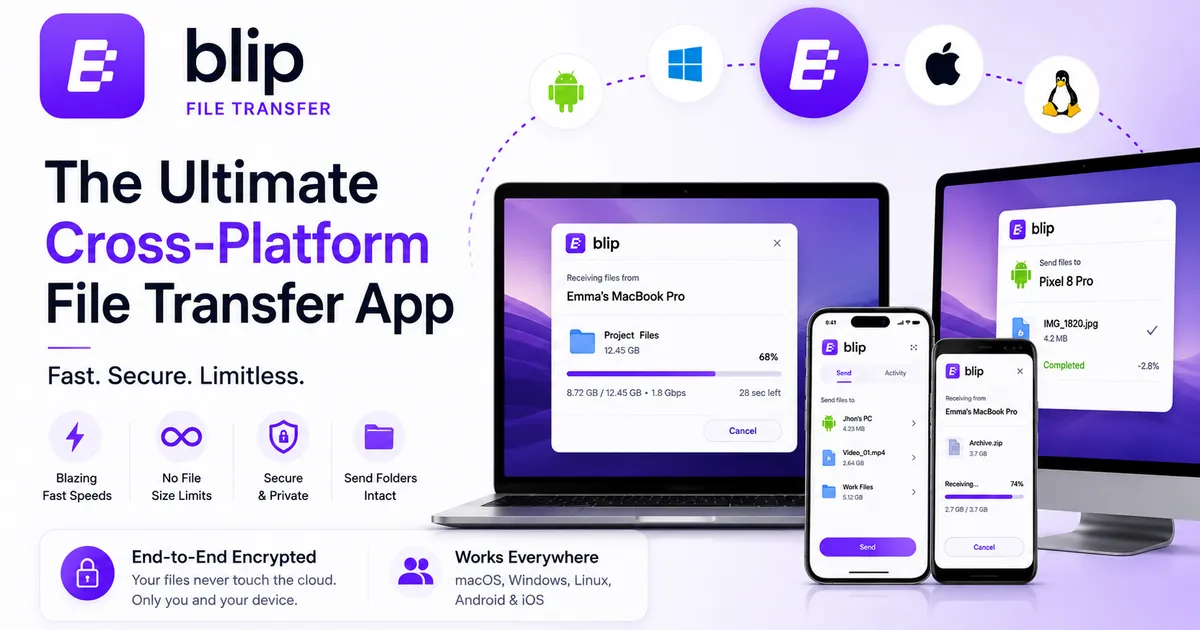
Sharing files across different devices and operating systems has historically been a frustrating experience. While native solutions like Apple's Airdrop or Google's Quick Share work well within their own ecosystems, cross-platform transfers often involve clunky workarounds, cloud storage limits, or slow web uploads. Blip is a free, lightweight file transfer application designed to eliminate these hurdles by allowing you to beam files directly between devices with no size limits and lightning-fast speeds.
Here is everything you need to know about how Blip works, its key features, and why it might be the only file-sharing app you need.
How Blip Works: Direct Peer-to-Peer Sharing
Unlike traditional cloud services such as Dropbox, Google Drive, or WeTransfer, Blip does not use a "middleman" cloud server.
Instead of requiring you to upload a file to the web and making the recipient wait to download it, Blip sends files directly from one computer to another in real-time. The moment you hit send; the receiving device immediately starts downloading the file. This direct connection means your data never rests on Blip's servers, ensuring better privacy and significantly faster transfer times.
Key Features and Capabilities
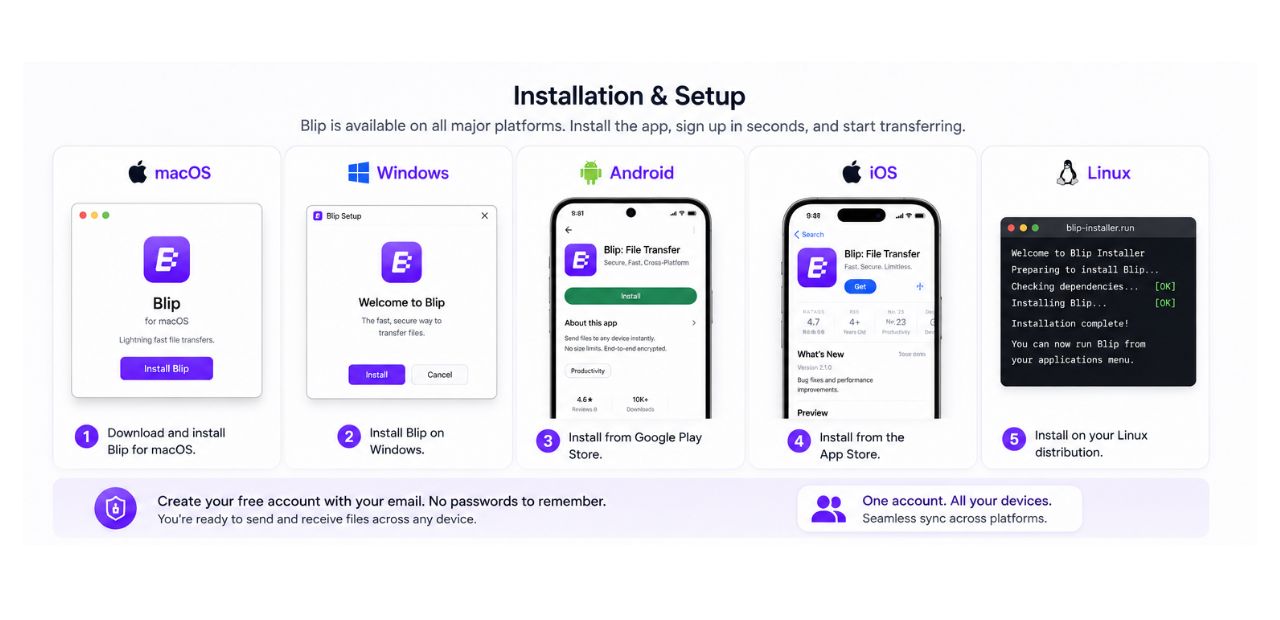
Universal Cross-Platform Support: Blip is available on virtually every major operating system. It supports Mac (macOS 12.1+), iPhone and iPad (iOS 15+), Windows (Windows 10+), Android (Android 9+), and Linux. This allows you to effortlessly share files between an Android phone and a Mac, or a Windows PC and an iPhone.
No File Size Limits: Whether you are sending a 5MB photo or a 99TB project folder, Blip imposes zero size limits on your transfers.
Original Quality Retention: Blip preserves 100% of your file's original quality, ensuring there is no compression, downscaling, or blurry media.
Intact Folder Structures: You can send entire folders without needing to compress them into ZIP files first. Blip can seamlessly handle complex project bundles, such as Final Cut Pro (
.fcpbundle) or Adobe Premiere files, fully preserving their internal folder structures and links.Network Independence: Unlike Airdrop or Local Send, devices do not need to be on the same Wi-Fi network or in close proximity to share files. Blip works across the globe using the internet.
Blazing Fast Speeds: Blip utilizes a fast relay that supports multi-gigabit speeds. If both devices happen to be on the same Wi-Fi network, the app uses "LAN direct connect" to bypass your internet plan's speed limits, delivering near-instant transfers.
Interruption Recovery: If your Wi-Fi fails, a drive gets unplugged, or your disk fills up during a transfer, Blip will remember your progress and automatically resume the transfer once the issue is resolved.
Security and Privacy
Privacy is a major advantage of using Blip. Because it uses a direct peer-to-peer connection, your files are never uploaded to a public website where anyone with a link could potentially access them. To protect your data from third-party interception, Blip encrypts all files in transit using the TLS 1.3 protocol the same advanced encryption standard used to secure modern websites.
Setup and Ease of Use
Setting up Blip is intentionally streamlined. There are no passwords to remember. You simply install the app, enter your name and email address, and you are ready to go.
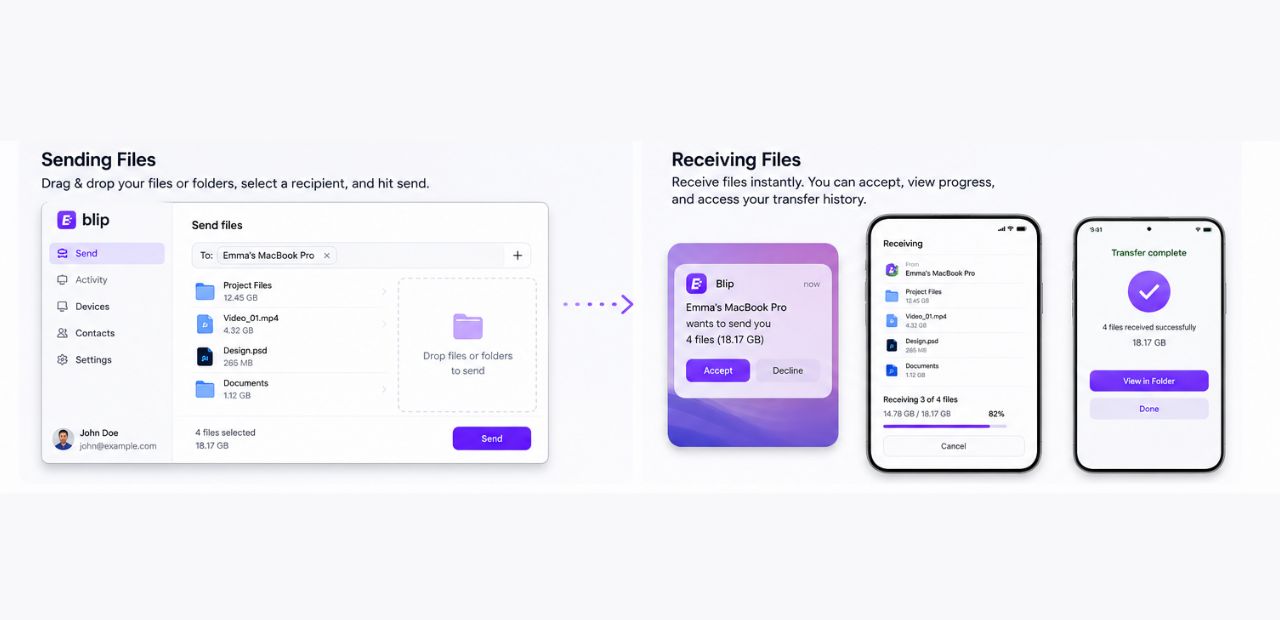
Sending: To send a file, you search for the recipient's name or email address and drag-and-drop the files into the app. On Windows, you can simply right-click a folder and select "Blip" from the context menu.
Receiving: The recipient gets a pop-up or notification asking them to accept the file. If you are sending files to your own devices, you can enable an Auto-accept feature in the settings, so transfers happen automatically without needing to wake the receiving device.
Pricing
Blip is completely free for personal use. This includes hobbies, education, and charity efforts. The free version boasts a clean, minimalistic interface with absolutely no ads. For commercial projects or business use, Blip charges $25 per user per month.
Also Read this: Best Smart Home Devices in India (2026) Ultimate AI Cleaning, Security & Wi-Fi Upgrade Guide
Pros and Cons Summary
Pros:
Blazing fast transfer speeds with LAN boosting.
No file size limitations or compression.
Exceptional cross-platform compatibility.
Ad-free, clean UI with an auto-accept feature for personal devices.
Secure TLS 1.3 encryption with no cloud storage.
Cons:
Installation Required: Both the sender and the recipient must have the Blip app installed and an account created. It is not ideal for sending a quick, one-off file to a stranger via a web link.
Mobile to PC Limitations: While the desktop apps are robust, some users have noted that the mobile app currently lacks support for sending multiple files or entire folders from a phone to a PC in a single transfer (though one reviewer noted a generous 60-item cap per transfer).
The Verdict
If you constantly move large files like 4K videos, podcasts, or dense project folders across different operating systems, Blip is a gamechanger. By combining the convenience of Airdrop with the power of enterprise-grade transfer speeds without charging a dime for personal use Blip is one of the most reliable and efficient file-sharing solutions available today.
Also Read this: Instagram Instants Explained (2026): Features, Privacy, How It Works & Why Creators Should Care
Community Discussion
Loading comments...
Join the Conversation
Log in to post your thoughts, ask questions, and engage with authors and developers.
Log in to Comment