Instagram Reorder Grid Feature Explained: How to Rearrange Your Profile Posts in 2026
Instagram's new Reorder Grid feature allows users to rearrange profile posts without deleting or reposting content. Learn how Instagram Grid Reordering works, why it matters for creators, and how to optimize your profile for growth.
Author
Shalimar Mehra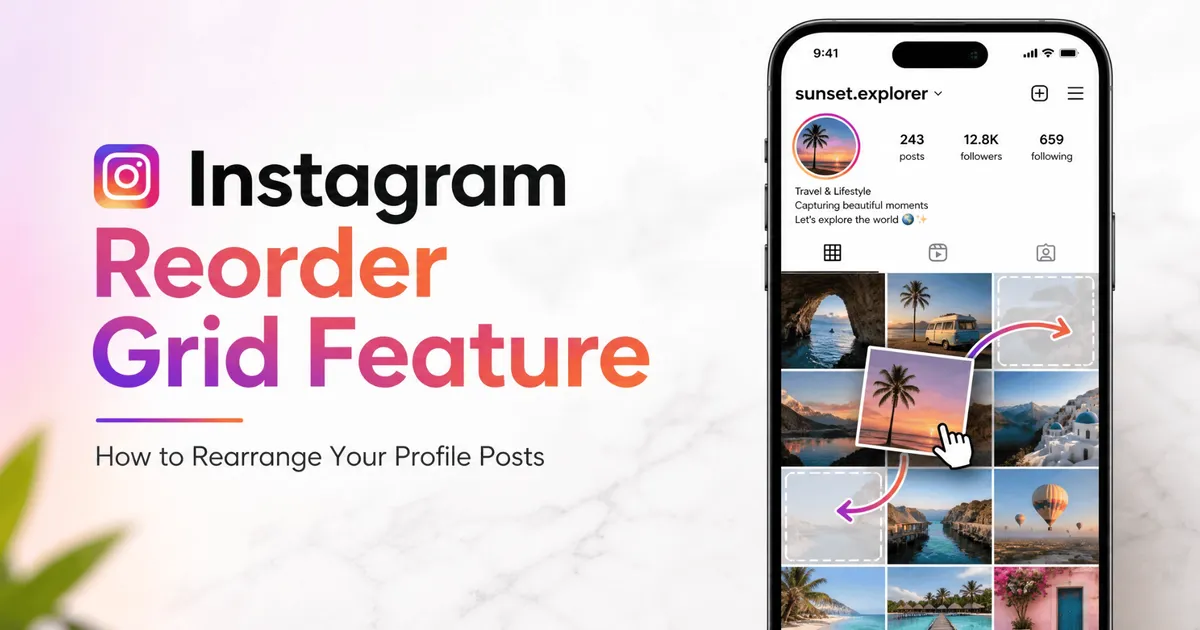
Instagram Reorder Grid Feature Explained: The Update Creators Have Been Waiting For
For more than a decade, Instagram profiles followed one unbreakable rule: Your posts appeared in chronological order.
If you wanted a carefully curated profile layout, your options were limited:
Delete and repost content
Plan uploads weeks in advance
Use external grid-planning apps
Accept an imperfect feed
That era is officially over.
Instagram has launched its highly anticipated Reorder Grid feature, allowing users to manually rearrange posts on their profile without affecting engagement, comments, or posting dates.
For creators, businesses, photographers, and influencers, this could become one of the most important Instagram updates in years.
In this guide, we'll explain:
What Instagram Reorder Grid is
How to use it
Why it matters
Best strategies for creators
Common limitations
Long-term growth opportunities
What Is Instagram Reorder Grid?
Instagram Reorder Grid is a profile customization feature that lets users manually move posts into different positions on their profile page.
Instead of displaying content purely by publish date, users can now:
drag posts into new positions
organize visual themes
highlight important content
redesign profile layouts
without reposting anything.
Think of it as giving users complete control over their digital storefront.
Why This Feature Matters
Instagram profiles often serve as:
portfolios
business landing pages
creator showcases
personal brands
When someone discovers your profile, they typically make a decision within seconds.
Questions they subconsciously ask include:
Is this account worth following?
Does this creator look professional?
Is this brand trustworthy?
Does the content interest me?
Your profile grid heavily influences those decisions.
The new Reorder Grid feature allows users to optimize that first impression.
How to Reorder Your Instagram Grid
Instagram has intentionally made the process simple.
Step 1 - Open Instagram - Navigate to your profile.
Step 2 - Press and hold on any post within your profile grid.
Step 3 - Select: Reorder Grid - from the available options.
Step 4 - Drag and drop posts into your preferred positions.
Step 5 - Exit the editor - Changes are automatically saved - Your updated layout becomes visible immediately.
What Happens to Likes, Comments & Reach?
One of the biggest concerns creators had was:
Will reordering affect performance?
The answer is no.
Instagram confirms that reordering only changes the visual arrangement.
Everything else remains unchanged.
This includes:
✅ Likes
✅ Comments
✅ Shares
✅ Saves
✅ Post URLs
✅ Publish Dates
✅ Insights
What Happens to Pinned Posts?
Pinned posts work differently.
If you have pinned content:
it remains locked at the top
it cannot be moved during reordering
it stays prioritized above regular content
During editing, pinned posts appear greyed out.
Why Creators Are Excited
For years, creators have requested this feature.
The reason is simple:
Instagram has evolved into a visual search engine.
Your profile is often more important than individual posts.
1. Showcase Your Best Content First
Previously: Your best-performing content could disappear deep within your profile.
Now: You can permanently position your strongest content near the top.
This improves:
credibility
engagement
conversions
follower growth
2. Create a Consistent Brand Identity
Brands often struggle when campaigns disrupt their visual aesthetic.
Reordering allows businesses to:
maintain consistency
improve visual storytelling
organize campaigns strategically
without changing content history.
3. Build a Professional Portfolio
For:
photographers
designers
artists
videographers
creators
Instagram often functions as a portfolio.
Now portfolios can evolve dynamically.
Your profile can always reflect your best work.
4. Improve Visitor Conversion Rates
A cleaner profile often leads to:
more follows
longer profile visits
higher trust
better engagement
First impressions matter.
The Reorder Grid feature gives creators more control over those impressions.
Best Ways to Use Instagram Reorder Grid
Most users will simply rearrange posts.
Smart creators will use it strategically.
Create Content Categories
Organize posts by themes:
Example -
Row 1: Educational Content
Row 2: Case Studies
Row 3: Behind-the-Scenes
This creates a cleaner experience.
Highlight Evergreen Content
Move timeless posts toward the top.
Examples:
tutorials
guides
FAQs
best-performing reels
Improve Product Showcases
Businesses can organize grids around:
products
services
testimonials
launches
creating a more professional storefront.
Refresh Older Profiles
Many creators have years of content.
Reordering helps modernize older profiles without deleting history.
Why Instagram Took So Long
Interestingly, this feature has been requested for years.
According to Instagram head Adam Mosseri, profile customization has consistently ranked among the platform's most requested features.
The first signs of development appeared back in 2022 when app researcher Alessandro Paluzzi discovered references to an "Edit Grid" system hidden inside Instagram's code.
After years of testing and refinement, Instagram finally launched the feature globally.
Potential Limitations
Although powerful, the feature isn't perfect.
No Scheduling Support
Users still need external tools for future grid planning.
Pinned Posts Remain Fixed
Creators cannot fully customize the top row if pinned posts are active.
Visual Changes Only
Reordering does not improve reach directly.
Content quality remains the primary growth factor.
What This Means for Instagram's Future
The Reorder Grid feature signals a broader shift.
Instagram is increasingly prioritizing:
creator customization
profile control
visual branding
personal expression
Instead of forcing everyone into the same layout structure, Instagram is giving users more ownership over how they present themselves.
This aligns with broader creator economy trends where profiles function as:
portfolios
websites
personal brands
business hubs
Instagram Reorder Grid Best Practices
If you're a creator, consider this framework:
Top Row - Your strongest content.
Second Row - Authority-building posts.
Third Row - Personality and community content.
Remaining Content
Organized by theme or campaign.
This creates a stronger visitor journey.
Final Verdict
Instagram's Reorder Grid feature is one of the platform's most useful profile customization updates in years.
While it won't magically increase engagement, it gives creators and businesses something they've wanted for over a decade:
Complete control over how their profile is presented.
Whether you're:
growing a personal brand,
running a business,
building a creator portfolio,
or simply improving your profile aesthetic,
Reorder Grid provides a powerful new way to shape first impressions and strengthen your Instagram presence.
You Prefer notion for notes ? Find out the best way - Best Note-Taking Apps for Students, Professionals & Creators (2026)
Community Discussion
Loading comments...
Join the Conversation
Log in to post your thoughts, ask questions, and engage with authors and developers.
Log in to Comment