The Ultimate Minimalist Developer Desk Setup Guide for Enhanced Productivity
Discover how to create the ultimate minimalist developer desk setup for 2026. Optimize your workspace with ergonomic gear, smart lighting, and cable management for peak productivity and focus.
Author
Shalimar Mehra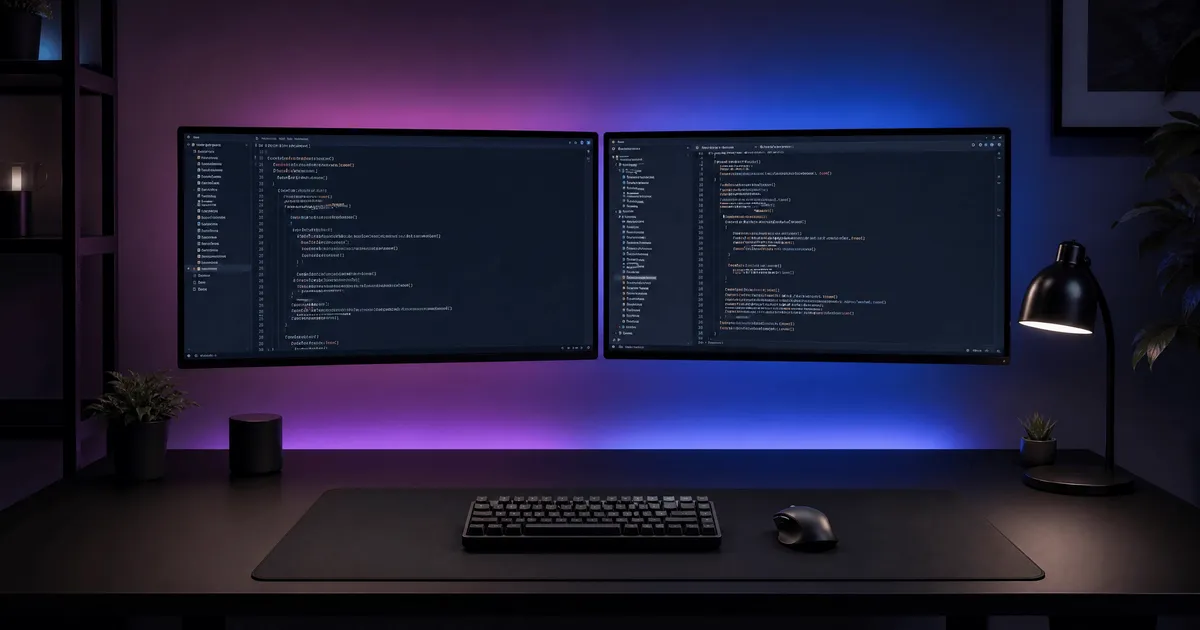
The Ultimate Minimalist Developer Desk Setup Guide for Enhanced Productivity
Quick Answer / Summary - A minimalist developer desk setup in 2026 is more than just an aesthetic choice; it's a strategic approach to boosting productivity and mental clarity. By focusing on essential, high-quality components like dual 4K monitors, advanced task and ambient lighting, ergonomic mechanical keyboards, and precision mice, developers can create a distraction-free environment. Meticulous cable management and premium desk mats further enhance this streamlined workspace, fostering deep focus and reducing cognitive load. The key is to invest in tools that offer both superior performance and a clean, integrated design, transforming your coding station into a command center that supports peak performance.
Introduction: The Psychology of a Clean Workspace - In the fast-paced world of software development, where complex logic and intricate problem-solving are daily challenges, the environment in which one works plays a pivotal role in productivity and mental clarity. The adage, "visual clutter equals mental clutter," rings particularly true for developers. A chaotic workspace can lead to increased cognitive load, making it harder to focus on demanding tasks and fostering a sense of overwhelm. Conversely, a meticulously organized and aesthetically pleasing setup can significantly enhance concentration, reduce stress, and even inspire creativity.
For 2026, the prevailing aesthetic for the discerning developer's desk setup is a deep, dark canvas accented by purposeful neon pink, blue, and purple ambient glows. This sophisticated and immersive environment is not merely about looks; it's about crafting a sanctuary that minimizes distractions and maximizes focus. The goal is to build a premium, distraction-free command center that performs exceptionally well, whether bathed in the natural light of day or illuminated by the subtle, vibrant hues of a late-night coding session.
Why It Matters: The Impact of a Minimalist Setup on Developer Performance
For developers, the workspace is not just a place; it's an extension of their cognitive process. A minimalist setup directly contributes to several critical aspects of developer performance:
Reduced Cognitive Load: By eliminating unnecessary visual stimuli, a minimalist desk allows the brain to dedicate more resources to problem-solving and complex coding tasks, rather than processing environmental distractions.
Enhanced Focus and Flow State: A clean, organized environment makes it easier to enter and maintain a state of flow, a highly productive mental state crucial for deep work in programming.
Improved Ergonomics and Health: A minimalist approach often prioritizes ergonomic equipment, leading to better posture, reduced strain, and long-term health benefits, which directly translates to sustained productivity.
Increased Efficiency: With fewer items on the desk, there's less time spent searching for tools or reorganizing, leading to more efficient workflows.
Professional Aesthetic: A well-designed minimalist setup can also serve as a professional backdrop for video calls and content creation, reflecting a disciplined and organized approach to work.
Crafting Your 2026 Minimalist Developer Command Center
The Visual Core: Displays & Illumination
Monitors: Dual 4K vs. Ultrawide - The choice of display is paramount for developers, directly impacting eye comfort and productivity during long coding sessions. While the debate between a single ultrawide monitor and dual 27-inch 4K displays continues, many developers in 2026 are opting for the latter. Dual 27-inch 4K monitors offer unparalleled screen real estate, allowing for multiple applications and code windows to be open simultaneously without excessive alt-tabbing. The crisp sans-serif text rendering at 4K resolution is particularly crucial for reducing eye strain and enhancing readability over extended periods.
Task Lighting: The Non-Negotiable Monitor Light Bar - A monitor light bar is non-negotiable for any serious developer aiming to reduce eye strain and maintain the dark room aesthetic. These devices illuminate the desk surface directly, reducing glare on the screen and providing optimal lighting for physical documents or keyboards without disrupting the ambient mood of the room. Products like the BenQ ScreenBar Halo 2 LED Monitor Light have become the gold standard in 2026, offering superior illumination that focuses light directly on the desk without creating screen glare. This is a significant upgrade from previous models, providing brighter and wider light spread, especially beneficial for larger monitors.
Product Recommendation:
BenQ Screen Bar Halo 2 LED Monitor Light: Amazon.com | Amazon.in
Ambient Lighting: Setting the Mood - To complement the dark aesthetic and create an immersive coding environment, subtle, diffused neon gradients (pink/purple/blue) behind the monitors are essential. These ambient lights add depth and character to the workspace without interfering with screen visibility. They reduce the contrast between the bright screen and a dark room, further alleviating eye strain. Solutions like the Govee Neon Rope Light Desk Edge or Wipro Wi-Fi Smart RGB LED Strips are popular choices for achieving this effect, allowing for customizable color schemes and dynamic lighting patterns.
Product Recommendation:
Govee Neon Rope Light Desk Edge: Amazon.com | Amazon.in
Wipro Wi-Fi Smart RGB LED Strip: Amazon.in
The Tactile Command Center: Inputs
The Keyboard: Precision and Comfort - For developers, the keyboard is more than just an input device; it's a primary interface for creation. In 2026, 75% mechanical keyboards with premium aluminum chassis are highly favored for their compact form factor, durability, and satisfying typing experience. Tactile switches are preferred for providing feedback without the loud click, making them ideal for focused work environments. Wireless connectivity is also a key feature, contributing to a clean and clutter-free desk setup. The Keychron Q1 V2 Custom Mechanical Keyboard is a standout choice, offering a robust build and customizable options that cater to the discerning developer. For those who prefer a lower profile, the NuPhy Air75 V2 Low Profile Mechanical keyboard offers a sleek design and comfortable typing experience, though newer V3 models offer firmware upgrades and address some intermittent key registration issues found in the V2.
Product Recommendation:
Keychron Q1 V2 Custom Mechanical Keyboard: Amazon.com | Amazon.in
NuPhy Air75 V2 Low Profile Mechanical Keyboard: Amazon.in
The Mouse: Ergonomics Meets Productivity
Ergonomics meets productivity in the modern developer's mouse. Features like multi-device switching and customizable thumb wheels for horizontal scrolling through wide codebases are highly valued. The Logitech MX Master 3S Wireless Mouse continues to be a top recommendation, known for its comfortable design, precise tracking, and advanced customization options. While the MX Master 3S remains a strong contender, the Logitech MX Master 4, released in late 2025, introduces native haptic feedback and enhanced connectivity, making it an even more compelling option for 2026.
Product Recommendation:
Logitech MX Master 4 Wireless Mouse: Amazon.com | Amazon.in
The Foundation: Mats & Cable Management
Desk Pads: Grounding Your Workspace - A high-quality desk mat serves as the grounding element for any minimalist setup; dampening keyboard sounds and framing the workspace. Matte black leather or premium felt desk mats are the preferred choices for their aesthetic appeal and functional benefits. Brands like Orbitkey and Grovemade offer premium options, though some users have noted concerns about the curling of certain leather mats. Alternatives like the Nordik Leather Desk Mat or Oakywood Felt&Cork Desk Mat are also gaining popularity in 2026 for their quality and design.
Product Recommendation:
Orbitkey Desk Mat Black Leather: Amazon.com | Amazon.in
Scarters Extended Desk Mat Black: Amazon.in
The "Invisible" Setup: Mastering Cable Management - The golden rule of minimalism dictates that if a cable isn't actively charging something, it shouldn't be visible. Achieving an "invisible" setup requires meticulous attention to cable management. Under-desk mounting brackets and cable routing spines are essential tools for concealing wires and maintaining a clean aesthetic. Products like the J Channel Cable Raceway or Gizga Essentials Cable Organizer Tray are highly effective in achieving this seamless look, transforming a cluttered mess into an organized, distraction-free zone.
Product Recommendation:
J Channel Cable Raceway Black: Amazon.com | Amazon.in
Gizga Essentials Cable Organizer Tray: Amazon.in
Best Practices for a Minimalist Developer Setup
Prioritize Function Over Form (Initially): While aesthetics is important, ensure every item serves a purpose. Start with essential tools and gradually introduce aesthetic elements.
Go Wireless Whenever Possible: Wireless peripherals significantly reduce cable clutter, contributing to a cleaner look and easier management.
Invest in Quality: Minimalist setups thrive on fewer, higher-quality items. Durable, well-designed products often offer better ergonomics and longevity.
Regular Decluttering: Periodically review your workspace. Remove anything that doesn't contribute to your productivity or aesthetic goals.
Optimize for Ergonomics: Beyond just a comfortable chair, consider monitor height, keyboard and mouse positioning, and proper lighting to prevent strain.
Utilize Vertical Space: Wall mounts for monitors or shelves can free up valuable desk surface area.
Conceal, Don't Just Hide: True cable management involves routing and securing cables out of sight, not just tucking them away temporarily.
Thread vs X - Threads vs X in 2026: The Ultimate Guide to Platform Strategy and Mobile Monetization
Community Discussion
Loading comments...
Join the Conversation
Log in to post your thoughts, ask questions, and engage with authors and developers.
Log in to Comment