Talk to Spotify: How to Use the New AI Music Assistant
Discover how to use the new Talk to Spotify AI assistant. Learn to use conversational prompts for music discovery, build playlists, and explore your listening history.
Author
Shalimar Mehra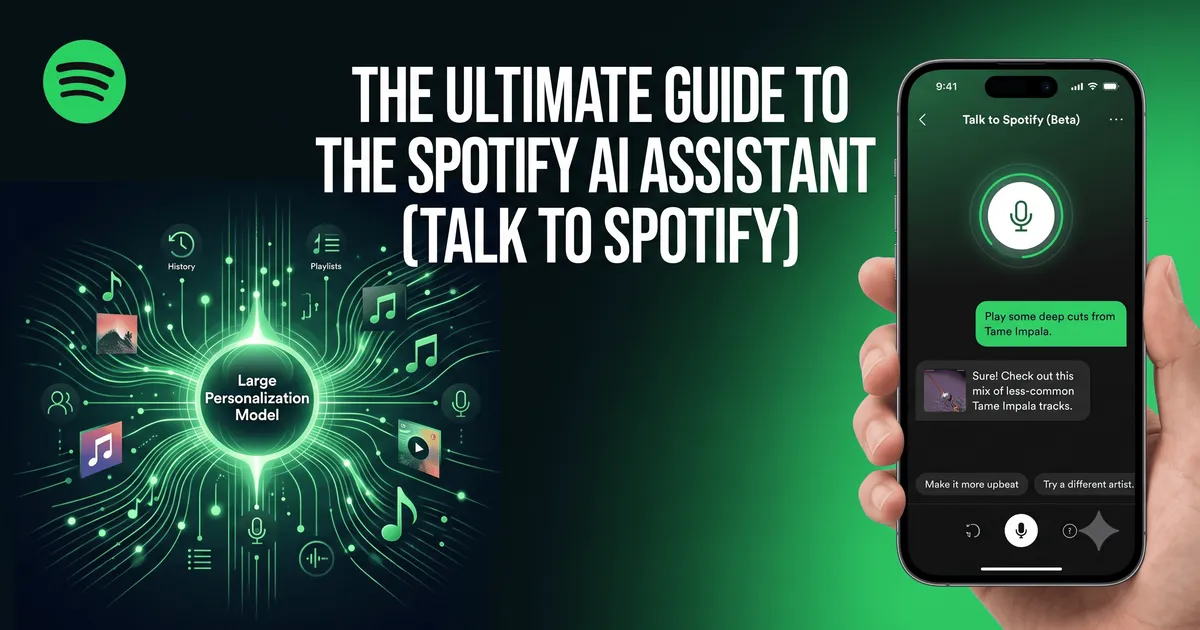
The Ultimate Guide to the Spotify AI Assistant (Talk to Spotify)
The way we discover and listen to music is undergoing a massive shift. Instead of passively scrolling through algorithmically generated playlists or typing generic genres into a search bar, listeners can now engage in natural, back-and-forth conversations with their streaming apps. In July 2026, Spotify launched its highly anticipated "Talk to Spotify" feature - a conversational AI assistant designed to completely reshape how users explore its catalog of over 100 million tracks.
This guide breaks down exactly what the Spotify AI assistant is, how it works, the technology powering it, and the most effective prompts you can use to transform your music, podcast, and audiobook discovery.
The Spotify AI assistant (officially dubbed "Talk to Spotify") is a conversational chatbot integrated directly into the Spotify mobile app. It allows users to find music, control playback, ask contextual questions about artists, and query their own listening history using natural voice or text commands.
Key Availability Requirements:
Subscription: Spotify Premium only.
Age: 18 years and older.
Location (Beta): United States, Ireland, and Sweden.
Language: English only.
Platform: iOS and Android mobile devices.
Finding music on streaming platforms often leads to the "paradox of choice". With millions of tracks available, users frequently experience choice overload and decision fatigue, prompting them to revert to familiar playlists rather than discovering new music.
The Talk to Spotify assistant matters because it shifts discovery from a passive scrolling experience to an active, conversational tone. It allows you to express your exact mood, context, or curiosity and negotiates the playlist with you in real-time. Furthermore, it acts as a powerful retention tool for the business, banking on the idea that users who find the exact song they are looking for via conversation are more likely to stay engaged with the app.
1. The Core Features of the Spotify AI Assistant
The Talk to Spotify beta is built around three distinct capabilities that elevate it beyond generic voice assistants like Siri or Alexa:
Soundtrack Any Moment (Iterative Discovery): You can provide broad prompts like "Play some artists I haven't heard before," and then continually refine the vibe. Unlike previous tools that generate a static playlist from one prompt, this feature allows you to add specific artists, narrow choices to recent releases, or ask the AI to make the tempo more upbeat within a continuous thread.
Understand What’s Playing (Context & Trivia): Directly from the "Now Playing" view, you can ask the assistant questions about the current track. You can inquire about the inspiration behind an album, a song's release date, or its specific genre. For podcasts and audiobooks, you can ask what other shows a guest has appeared on or what other books an author has written.
Explore Your Listening History: Because the AI has access to your personal Spotify data, it can answer highly personalized questions. You can ask, "When did I first listen to this song?" or "What genres have I been into recently?" to explore your own taste profile.
2. How the AI Technology Works
The underlying technology behind Talk to Spotify is a blend of the company's proprietary technology and third-party models.
The Large Personalization Model Spotify has accumulated tens of billions of human taste signals through user-curated playlists. According to Spotify executives, this behavioural data acts as the foundation for a "Large Personalization Model". The AI assistant doesn't just scan the music catalog; it cross-references your natural language queries with your personal listening habits, favourite artists, and repeat listens to generate highly tailored responses.
Existing Tools Work in Harmony the AI assistant does not replace existing features. The AI DJ (which provides a radio-style narrated mix) and the prompt-based AI playlist builder remain intact. Instead, the Talk to Spotify chatbot serves as a conversational front-end that can invoke these other tools naturally.
Step-by-Step Guide: How to Use the Talk to Spotify Chatbot
If you meet the eligibility criteria, using the chatbot is highly intuitive.
Open the Spotify App: Ensure you are using the latest version of the iOS or Android mobile app.
Locate the Entry Point: Navigate to the "Home" screen or the "Now Playing" view.
Initiate the Chat: Tap the microphone icon to speak or tap the text field situated below your home shortcuts to type your request.
Enter Your Prompt: Ask a question or give a command (e.g., "Play upbeat music that matches my summer energy").
Refine the Output: Do not stop at the first request. Use conversational follow-ups like "Make it more upbeat" or "Remove the acoustic tracks" to shape the playback in real-time.
Take Action: Tell the assistant to "save this song," "add this to my queue," or "follow this artist" when you hear something you like.
Best Practices
Leverage Context: Talk to the AI as if it already knows your tastes - because it does. Use phrases like "Play songs I used to listen to a lot three years ago" to trigger personalized nostalgic playlists.
Use the Assistant for Podcasts and Books: The AI isn't just for music. Use it while listening to a podcast to instantly discover other episodes featuring the current guest.
Embrace Iteration: Treat the assistant like a conversation. If the initial playlist isn't perfect, tell the AI exactly what is wrong so it can adjust.
Common Mistakes
Treating it like a basic search bar: Don't just type an artist's name. Use natural language to describe the mood, era, or energy you want.
Restarting instead of refining: If the AI gives you a playlist that is too slow, do not start a brand-new chat. Simply say, "Make this faster," to refine the existing context.
Practical Examples: Top Prompts to Try
To get the most out of the Spotify AI assistant, try using these highly specific prompts generated by AI and music experts:
For pure discovery: "Play five artists similar to [Artist Name] that have fewer than 500,000 monthly listeners."
For genre blending: "Blend 90s hip-hop, indie rock, and synthwave into one playlist that somehow works."
For mood matching: "It's raining outside. Play music that matches the weather without being depressing."
For deep cuts: "Play deep cuts from [Artist Name] that aren't their biggest singles."
Expert Tips - Monitor Your Privacy While the feature is innovative, Spotify relies on a mix of its own AI and unnamed external providers. Currently, the company has not explicitly detailed which parts of your personal listening data pass through these third-party systems. If you are highly protective of your data, you may want to monitor future privacy updates regarding this beta.
Frequently Asked Questions
Is the Spotify AI assistant available for free users? No, the Talk to Spotify feature is currently restricted to Spotify Premium subscribers.
Can I use the AI assistant on my desktop computer? Currently, the beta is strictly limited to mobile devices (iOS and Android).
Is the AI assistant replacing the Spotify AI DJ? No. The AI DJ and the new conversational assistant run separately. The chatbot acts as an interactive interface that sits on top of Spotify's existing algorithmic features.
Why isn't the chatbot working for me? If you do not see the feature, ensure you meet all beta requirements: you must be 18 or older, have a Premium account, be located in the U.S., Ireland, or Sweden, and have your app set to English.
Key Takeaways
Spotify's new conversational AI assistant shifts music discovery from passive browsing to active, natural conversation.
The AI can generate and refine playlists iteratively, answer trivia questions about currently playing media, and query your personal listening history.
The tool is currently in a restricted beta for Premium users 18+ in select English-speaking regions (US, Ireland, Sweden).
Users get the best results by providing detailed, mood-based prompts and utilizing the chatbot's ability to remember the context of the conversation.
Conclusion
The "Talk to Spotify" AI assistant represents a massive leap forward in how consumers interact with digital media catalogs. By addressing the "paradox of choice" head-on, Spotify is betting that conversational curation - fuelled by its Large Personalization Model - will lead to deeper user engagement and better music discovery. As the beta expands, user feedback will likely shape how this AI tool handles complex requests and integrates into our daily listening habits.
Claude Pricing - Anthropic Claude AI Pricing 2026: Subscription Plans & API Costs Explained
Community Discussion
Loading comments...
Join the Conversation
Log in to post your thoughts, ask questions, and engage with authors and developers.
Log in to Comment