Why Developers Prefer LocalWP Over XAMPP or WAMP for WordPress in 2025
Tired of setting up WordPress locally with outdated tools like XAMPP or WAMP? Discover why LocalWP is the modern developer’s choice in 2025.

Author
Shalimar Mehra
Introduction: Local Development is Still Essential in 2025
Even in a world of headless CMS and cloud hosting, local WordPress development is alive and thriving. Whether you're testing themes, building plugins, or staging updates — running WordPress on your local machine is still the safest and fastest way to iterate.
But here's the problem: traditional local stacks like XAMPP or WAMP were not built for WordPress developers. They're bloated, outdated, and lack the modern tools we now expect.
Enter LocalWP — a purpose-built local development tool for WordPress that simplifies setup, increases speed, and integrates features developers love.
What is LocalWP?
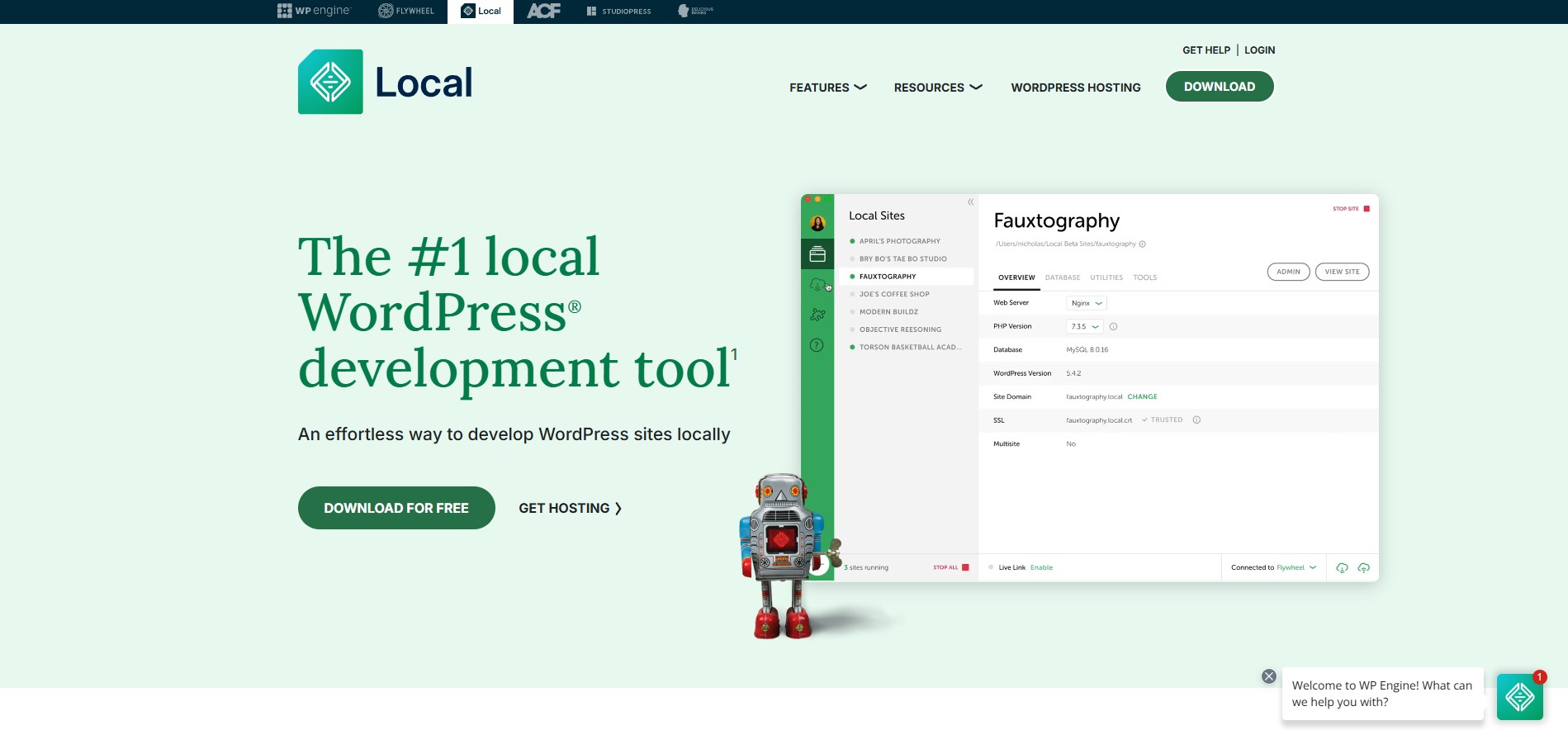
LocalWP (formerly Local by Flywheel) is a free, cross-platform application that lets you run full-featured WordPress sites locally — without needing to mess with Apache, PHP, MySQL, or complex configurations.
Built with WordPress developers in mind, LocalWP offers:
One-click WordPress site creation
Easy PHP version switching
Local SSL support
WP-CLI integration
Live Link (share your site via public URL)
Lightning-fast performance
LocalWP vs XAMPP vs WAMP: Developer-Focused Comparison
Feature | LocalWP | XAMPP / WAMP |
|---|---|---|
Platform Focus | WordPress Only | General (Apache + PHP) |
Installation Time | ~2 minutes | 10–15 minutes |
Site Setup | One-click | Manual (create DB, install WP) |
SSL Support | Built-in (auto SSL) | Manual setup (if possible) |
UI | Clean GUI | Outdated UI |
Mail Testing | MailHog built-in | Needs configuration |
PHP/MySQL Version Control | Easy GUI switch | Complex manual setup |
WP-CLI Support | Native | Requires configuration |
Sharing (Live Link) | Yes (NGROK) | No |
Performance | Optimized for WP | Generic stack |
Also Read this : Smart Tips for Building a Great Website
Developer Features in LocalWP
One-Click WordPress Installs
Spin up a fully working WordPress site — with a domain, database, and admin login — in under 60 seconds.
Easy PHP & MySQL Version Switching
Test your themes or plugins against multiple PHP versions (5.6 to 8.2+) or MySQL variations, all from the interface.
SSL & HTTPS (Local)
Add trusted local SSL certificates with a single click — no terminal commands, no pain.
MailHog Integration
Test all outgoing WordPress emails locally — no third-party email setup required.
Database Viewer (Adminer)
Access and edit your database visually without needing to install phpMyAdmin.
Live Link for Sharing
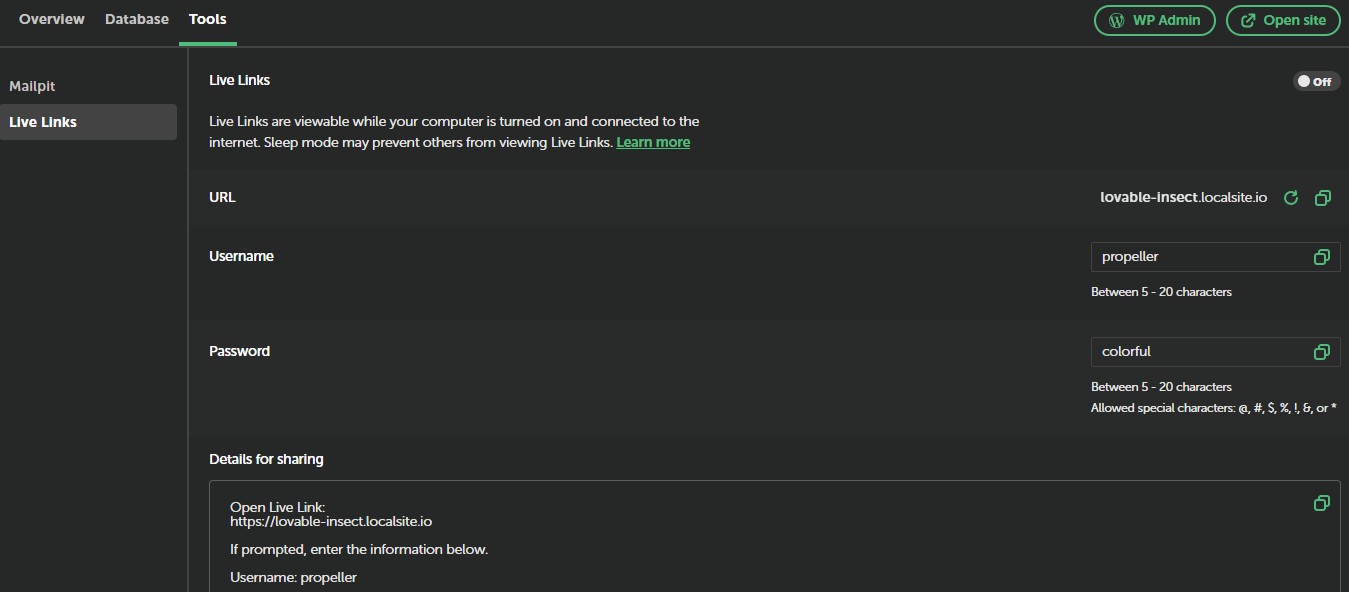
Instantly share your local site with clients or teammates via a public HTTPS URL powered by NGROK.
WP-CLI & SSH Access
Advanced developers get full WP-CLI and shell access to interact with WordPress programmatically.
Why LocalWP Saves Time and Headaches
No Manual Configuration
Forget editing php.ini, setting up Apache virtual hosts, or dealing with port conflicts.
Performance Optimized for WP
LocalWP is optimized for the way WordPress works — caching, filesystem, and database performance are superior.
Team Collaboration
Clone and export sites easily across team members using the Export/Import features.
Cloud Integration (Optional)
Seamlessly push or pull to/from Flywheel or WP Engine hosting accounts if you're using them.
🟢 When Should Developers Switch to LocalWP?
You're tired of configuring Apache/PHP/MySQL manually
You build or test WordPress sites regularly
You want to test themes, plugins, or updates safely
You need to share local sites with clients or stakeholders
You care about speed, simplicity, and scalability
🔴 When NOT to Use LocalWP
You’re running non-WordPress projects (use Docker or Laragon instead)
You need to run multiple services (Node.js + PHP, etc.)
You're managing custom LAMP stacks with specific configurations
The Future of Local WordPress Development
In 2025, local development is evolving with AI-assisted code, automated testing, and instant staging environments. Tools like LocalWP are adapting quickly — now offering integrations, addons, and advanced tooling that go far beyond what XAMPP or WAMP can handle.
LocalWP isn’t just easier — it’s a complete productivity upgrade for any WordPress developer. It turns a 30-minute setup process into a 2-minute click-and-go task, and it does so with tools developers actually need.
You Might Also Like This:
The Best Web Hosting Platforms in 2025 !
Discover which hosting providers are leading the pack in 2025 — performance, pricing, features, and what developers should look for when choosing the right platform.
Shalimar Mehra
Founder of Dev Dossier. Full-Stack Developer crafting modern web platforms with Next.js, while actively expanding into AI & Machine Learning software systems.
Community Discussion
Loading comments...
Join the Conversation
Log in to post your thoughts, ask questions, and engage with authors and developers.
Log in to Comment