YouTube Premium Just Got Better for Podcast Fans: 3 New Features You Need to Try
YouTube Premium has introduced three major podcast upgrades in 2026: On-the-Go Mode, Auto Speed, and Ask Music for podcasts. Discover how these features improve podcast listening, discovery, and personalization for Premium subscribers.
Author
Shalimar Mehra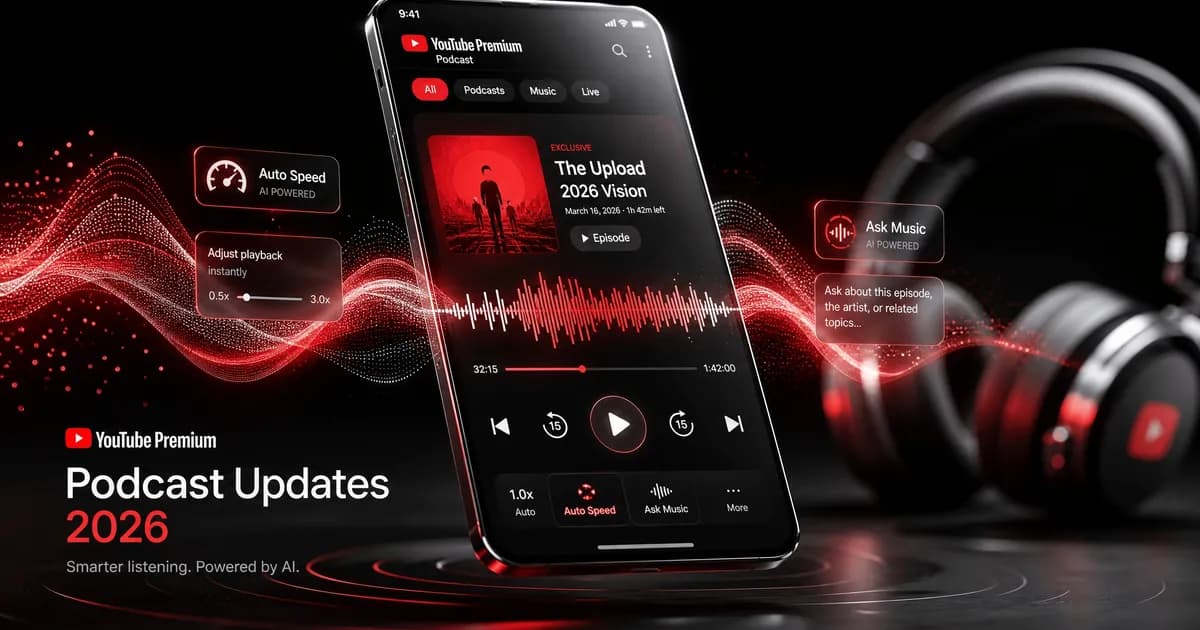
YouTube Premium Unveils Game-Changing Podcast Features in 2026
Podcasting is no longer a niche category on YouTube.
What started as a video-first platform has evolved into one of the world's largest podcast destinations, attracting more than 1 billion monthly podcast viewers globally.
The trend is even more significant among Premium subscribers. According to YouTube, Premium users collectively consumed more than 800 million hours of podcast content in April 2026 alone.
To support this rapidly growing audience, YouTube is rolling out three major podcast-focused features:
On-the-Go Mode
Auto Speed
Ask Music for Podcasts
These tools aim to make podcast listening more intuitive, personalized, and efficient while reinforcing YouTube's position as a serious competitor to Spotify, Apple Podcasts, and other audio-first platforms.
In this guide, we'll break down everything you need to know about these new features, how they work, and why they matter.
Why Podcasts Are Becoming a Major Focus for YouTube
Over the last few years, podcast consumption has exploded.
Many users now prefer:
long-form conversations,
educational content,
business interviews,
true crime series,
and daily news updates
over traditional short-form entertainment.
Unlike dedicated podcast apps, YouTube offers a unique advantage:
Creators can combine:
video,
audio,
community engagement,
and discovery algorithms
within a single platform.
As podcast listening continues to grow, YouTube is investing heavily in tools specifically designed for audio-first consumption.
1. On-the-Go Mode: Built for Podcast Listeners
One of the most practical additions is On-the-Go Mode.
This feature transforms the standard YouTube interface into a cleaner, audio-focused experience.
Instead of displaying:
comments,
suggested videos,
engagement buttons,
and visual distractions,
YouTube prioritizes large playback controls and a simplified listening layout.
Why It Matters
Many podcast listeners consume content while:
commuting,
exercising,
driving,
studying,
or multitasking.
In these situations, video elements often become unnecessary distractions.
On-the-Go Mode creates an experience that feels much closer to a dedicated podcast app.
Smart Lock Screen Integration
One particularly useful feature is lock-screen detection.
If you lock your phone while listening, YouTube can suggest switching directly into On-the-Go Mode through a notification.
This makes the transition between video and audio listening seamless.
Availability - Currently available for:
✅ Android Premium subscribers
iPhone support is expected in an upcoming rollout.
2. Auto Speed: Smarter Podcast Playback
Podcast listeners frequently adjust playback speeds manually.
Many users already listen at:
1.25x
1.5x
2x
to consume content more efficiently.
However, constant speed adjustments can become annoying.
That's where Auto Speed comes in.
How Auto Speed Works
Instead of maintaining a fixed speed, Auto Speed intelligently adapts playback based on the content.
The system can:
accelerate slower sections,
optimize pacing,
reduce unnecessary pauses,
and maintain clarity during important moments.
The result is a smoother listening experience without sacrificing comprehension.
Why This Is a Big Deal
Traditional podcast apps often require users to manually choose a speed.
YouTube's approach introduces more automation.
This is particularly valuable for:
daily podcast listeners,
students,
researchers,
and productivity-focused users.
Similar to Silence Trimming
Apps like Overcast popularized features that remove silent gaps between sentences.
Auto Speed follows a similar philosophy:
help listeners consume content faster without feeling rushed.
Availability - Currently rolling out to:
✅ Android Premium subscribers
iOS support is expected soon.
Want to know about Whatsapp username feature - WhatsApp Username Feature Explained: Hide Your Phone Number & Boost Privacy in 2026
3. Ask Music Now Supports Podcasts
Finding a great podcast can be surprisingly difficult.
Thousands of new shows launch every year.
Most listeners discover new content through:
recommendations,
social media,
friends,
or platform algorithms.
YouTube is now using AI to simplify that process.
What Is Ask Music?
Ask Music is YouTube's AI-powered recommendation tool.
Initially designed for creating:
personalized playlists,
custom radio stations,
and music mixes,
the feature is now expanding into podcast discovery.
How It Works
Users can describe what they want using natural language prompts.
Examples include:
Recommend a podcast about startup founders.
Find a true crime podcast with short episodes.
Suggest motivational podcasts for entrepreneurs.
Show educational podcasts similar to Lex Fridman.
The AI then generates relevant podcast recommendations.
Why This Could Transform Discovery
Podcast discovery remains one of the industry's biggest challenges.
Most listeners repeatedly consume the same shows because finding new content requires effort.
Ask Music introduces:
conversational search,
AI recommendations,
personalized discovery,
and contextual suggestions.
This could significantly improve podcast exploration.
Existing Premium Features Still Included
These new additions build upon existing Premium benefits, including:
Background Play - Continue listening while using other apps.
Ad-Free Playback - No interruptions during podcast episodes.
Jump Ahead - Skip directly to the most relevant moments in videos and podcasts.
Offline Downloads - Save episodes for travel and offline listening.
Who Will Benefit Most?
Daily Podcast Listeners - On-the-Go Mode creates a cleaner listening environment.
Productivity Enthusiasts - Auto Speed helps consume content more efficiently.
Students & Researchers - Long educational podcasts become easier to navigate.
New Podcast Listeners - Ask Music simplifies podcast discovery.
YouTube Premium Subscribers - These features significantly increase the value of an existing subscription.
Fully Explained about Instagram Instant - Instagram Instants Explained (2026): Features, Privacy, How It Works & Why Creators Should Care
Community Discussion
Loading comments...
Join the Conversation
Log in to post your thoughts, ask questions, and engage with authors and developers.
Log in to Comment