Google Gemini’s 2026 Canva & Adobe Integrations: Redefining AI Design
Discover how Google Gemini's 2026 integrations with Canva and Adobe are revolutionizing AI graphic design through editable layers and agentic AI workflows.
Author
Shalimar Mehra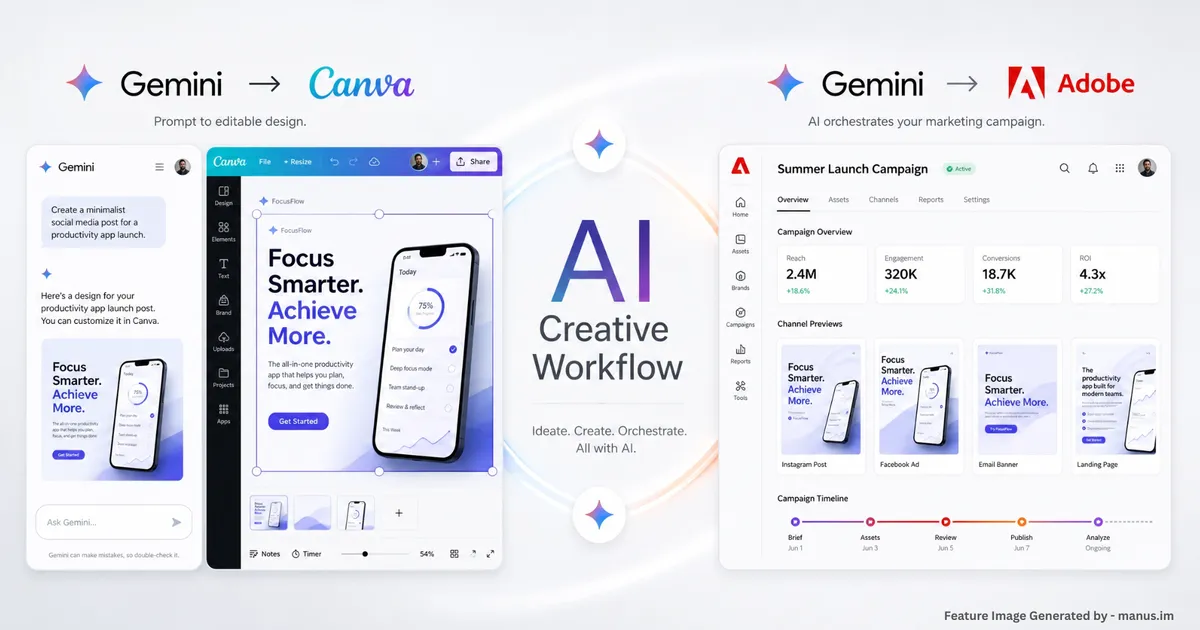
The Future of Creation: How Google Gemini’s 2026 Canva and Adobe Integrations are Redefining AI Design
If you’ve ever tried to integrate AI into your graphic design workflow, you know that the friction between a great prompt and a usable final product can be frustratingly high. Historically, AI image generation resulted in flat, uneditable graphics, forcing creators to endlessly tweak their prompts in hopes of getting it just right.
That era is officially ending. At Google I/O 2026, the tech giant announced a major evolution for its AI chatbot, transforming Gemini from a simple text generator into a central creative operating system. By rolling out deep, native integrations with both Canva and Adobe, Google is streamlining the gap between ideation and execution.
Here is a look at how these partnerships work, and how they align with the design trends dominating 2026.
The Canva Connected App: Curing the "Flat AI" Headache
For social media managers, content creators, and small businesses, the Canva Connected App for Gemini—which began its rollout on May 19, 2026—is a massive workflow upgrade. It bridges the gap between conversational AI and customizable creativity.
Here is how Canva’s integration is changing the game:
The Magic Layers Breakthrough: By pairing Google's Nano Banana image model with Canva's Magic Layers technology, the system can analyze an AI-generated image and seamlessly split it into editable layers.
Endless Refinement: This capability lets users tweak text, separate visual elements, and maintain the overall layout without having to start the generation process over from scratch.
Native Brand Kits: Canva Brand Kits now live natively inside Gemini.
Automated Cohesion: When a design is pulled from Gemini into Canva, it automatically aligns with your pre-saved brand fonts, logos, and color palettes, saving hours of manual adjustments.
Also Read this: Best Smart Home Devices in India (2026) Ultimate AI Cleaning, Security & Wi-Fi Upgrade Guide
Adobe’s Creativity Connector: Agentic AI for Professionals
While Canva targets accessible, template-driven design, Adobe is bringing heavy-duty orchestration to Gemini. Announced alongside Gemini 3.5 Flash, the Adobe for creativity connector utilizes the agentic AI technology already powering Firefly.
Instead of just generating an image, Adobe's connector acts as a creative agent. You describe what you want, and the agent figures out how to build it by connecting the right tools in the correct sequence.
Key highlights of the Adobe connector include:
Pro-Grade Power: The connector leverages more than 50 of Adobe's pro-grade creative tools natively within the Gemini interface.
Contextual Consistency: Users can sketch out a campaign idea and have the AI generate polished product mockups, resized formats, and social assets without ever switching contexts.
User Control: While the AI handles the heavy lifting of executing the design, the user remains in complete control of the final creative decisions and vision.
Lowering the Barrier: This conversational approach significantly lowers the entry barrier for those who aren't well-versed in Adobe's design tools, avoiding a steep learning curve.
Adobe has noted that this connector will roll out to Gemini users in the coming weeks.
⚖️ Canva vs. Adobe in Gemini: Which Should You Use?
Feature Focus | Canva Connected App | Adobe Creativity Connector |
Best For | Social media managers, small businesses, content creators. | Professional designers, complex campaigns, advanced orchestration. |
Core AI Tech | Nano Banana model & Magic Layers. | Agentic AI (powered by Firefly technology). |
Key Capability | Splits flat AI images into editable layers and applies Brand Kits. | Connects 50+ pro-grade tools to generate mockups and video variations across formats. |
Rollout Date | May 19, 2026. | In the coming weeks. |
Tying it Together: 2026 AI Design Trends
These integrations aren't happening in a vacuum; they perfectly support the visual design trends defining 2026. As AI tools become ubiquitous, the industry is seeing a massive shift toward "Imperfect by Design".
Current 2026 design trends highlight a desire for authenticity over algorithm-driven polish. We are seeing a surge in "Texture Check" aesthetics—hyper-realistic, tactile surfaces that look like liquid glass, sand, or rough paper. Furthermore, human-AI collaboration has moved past the novelty phase. Designers are no longer using AI to do the work for them; they are using agentic workflows (like the new Adobe connector) to handle tedious formatting, freeing up human creativity to focus on emotional storytelling, bold typography, and sensory-rich layouts.
Gemini’s new integrations empower this perfectly. By removing the tedious export-and-rebuild steps, creators can embrace a "Prompt Playground" mentality—exploring surreal ideas, adjusting layers on the fly, and keeping the human element front and center.
Summary: Whether you need the rapid, brand-aligned output of Canva or the multi-app orchestration of Adobe, Gemini is positioning itself as the ultimate starting point for modern design.
Find the video is deepfake or not? Google SynthID Explained (2026): How AI Watermarking Works Across Text, Images, Audio & Video
Community Discussion
Loading comments...
Join the Conversation
Log in to post your thoughts, ask questions, and engage with authors and developers.
Log in to Comment