Googlebook AI Laptop Guide: Specs, Gemini Features & Android Integration
Googlebook combines Android technology with ChromeOS desktop foundations and on-device Gemini AI. Discover specs, pricing from $899, setup, and key features.
Author
Shalimar Mehra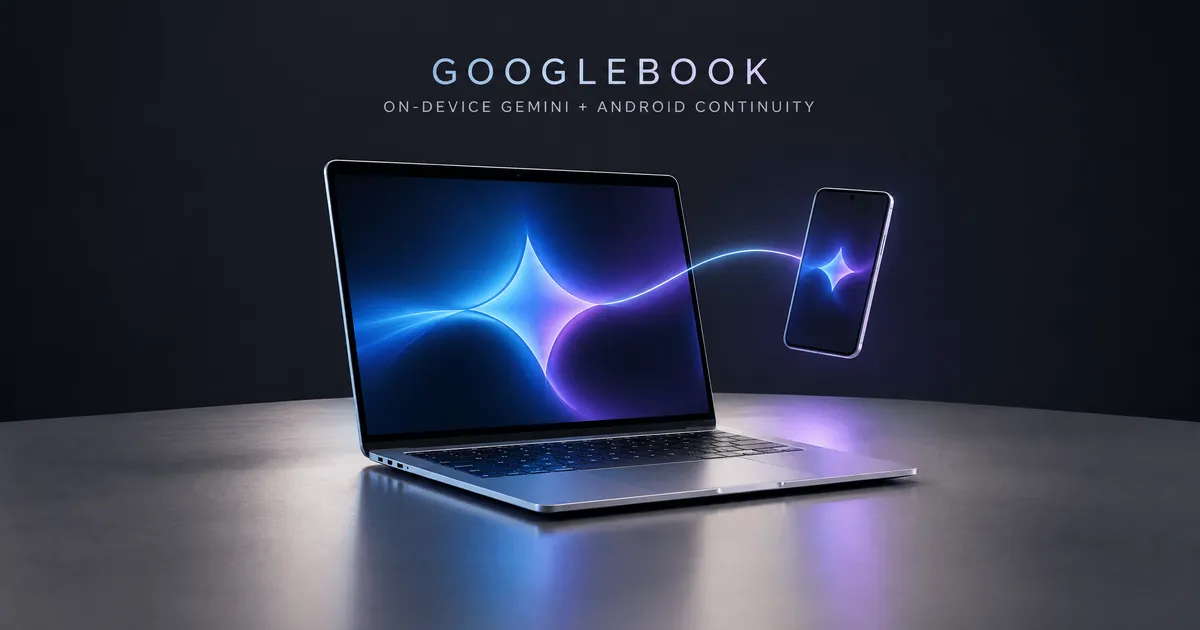
The Ultimate Guide to Googlebook: On-Device Gemini Intelligence and Seamless Android Integration
Introduction
Computing is undergoing a fundamental shift from traditional operating systems toward integrated intelligence systems. Googlebook represents a new category of premium laptops engineered from the ground up to unify desktop computing with mobile ecosystems and artificial intelligence. By fusing the Android technology stack with the desktop foundations of ChromeOS, Googlebook delivers on-device AI capabilities via Gemini Intelligence alongside deep, native synchronization with Android mobile devices.
Whether you are a professional seeking effortless cross-device productivity, a creative leveraging native media applications, or a developer running agentic AI workflows, Googlebook establishes a unified workspace designed around how people modernly create and work.
Main Content: Architecture, AI Capabilities, and Hardware
1. Modern Software Architecture & Enterprise-Grade Security
Googlebook's foundation merges the app ecosystem of Android with the desktop security of ChromeOS. This architecture enables rapid deployment of system features while enforcing security at every hardware and software layer.
+-----------------------------------------------------------------------+
|                           GOOGLEBOOK OS                               |
+-----------------------------------+-----------------------------------+
|     Android Tech Stack            |    ChromeOS Desktop Foundations   |
|  (Play Store, Native Apps)        |     (Chrome Browser, Windowing)   |
+-----------------------------------+-----------------------------------+
|                       GEMINI INTELLIGENCE SYSTEM                      |
|       (Magic Pointer, Rambler, Create My Widget, Gemini Spark)        |
+-----------------------------------------------------------------------+
|                   SECURITY & VIRTUALIZATION LAYER                     |
|  • Titan Hardware Root of Trust     • Defense-in-Depth Malware Check  |
|  • Level 5 Certified pKVM Hypervisor (Isolated Linux Terminal Environment)|
+-----------------------------------------------------------------------+
|                           HARDWARE PLATFORM                           |
|       NPUs >45 TOPS | Intel Core Ultra / Snapdragon X Elite           |
+-----------------------------------------------------------------------+
Hardware-Grounded Protection: Built with the Google Titan hardware root of trust, defense-in-depth security, and real-time on-device malware scanning.
Level 5 Certified pKVM Hypervisor: Features a category-first Level 5 security-certified pKVM hypervisor. This isolates a full Linux terminal environment, enabling developers to securely pull repositories, run terminal tools, and execute autonomous agents without compromising the host operating system.
Decade of Support: Googlebook OS includes regular feature drops and security updates for up to 10 years.
2. Built-In Gemini Intelligence Features
Googlebook embeds Gemini directly into the desktop experience to assist proactively across daily workflows.
Magic Pointer
Magic Pointer reinvents traditional mouse interaction through multimodal intelligence developed in collaboration with Google DeepMind. By briefly wiggling the cursor, users summon Gemini to analyze visible screen text, images, or layout context:
Instant Scheduling: Highlight a marathon training schedule on a webpage and ask Gemini to map out training dates directly into Google Calendar.
Security Verification: Hover over a suspicious email to have Gemini evaluate text and image elements for potential spam or phishing indicators.
Visual Synthesis: Select multiple images on screen (such as a living room photo and a couch item) to generate a combined visualization without downloading or manual editing.
Privacy Assurance: Magic Pointer remains completely inactive until explicitly summoned by the cursor wiggle gesture.
Rambler Voice Dictation
Located directly adjacent to the Quick Insert key, Rambler reimagines voice input by understanding semantic context rather than executing raw speech-to-text transcription:
Automatic Cleanup: Strips out stutters, filler words, and spoken errors automatically.
Structural Organization: Transforms unorganized verbal thoughts into clean bullet points, actionable checklists, and structured headers complete with appropriate emojis.
Multilingual Fluidity: Supports mid-sentence switching across languages without breaking transcription accuracy.
Create My Widget
Users can build custom desktop widgets by entering plain-language prompts. Gemini synthesizes web data or connects to primary Google services—such as Gmail and Google Calendar—to construct unified visual dashboards (e.g., flight details, hotel reservations, and trip countdown timers).
Gemini Spark & Background Processing
Gemini Spark handles heavy or multi-step processing requests continuously—even when the Googlebook display lid is closed—allowing background tasks to finish without forcing the user to wait actively.
3. Android Ecosystem Continuity
Because Googlebook shares part of the core Android technology stack, it pairs natively with Android mobile phones:
Encrypted Onboarding: Signing into a Googlebook automatically migrates saved Wi-Fi networks, passwords, preferences, and messages from an Android device via end-to-end encryption.
Continue On: Pick up ongoing mobile app tasks immediately on the laptop taskbar (e.g., resuming a project started in mobile audio apps like BandLab).
Files & Quick Access: View, search, and open photos or documents stored on your Android phone directly from the Googlebook Files app without manual file transfers.
Cast My Apps: Stream and interact with mobile applications in windowed desktop views to handle quick tasks—such as ordering food delivery or confirming SMS one-time codes—without picking up your phone.
Also Read This: Google Selfie Sign-In: Secure Account Access via Video Verification
4. Hardware Lineup and Specifications Comparison
Google partner manufacturers—Acer, ASUS, Dell, HP, and Lenovo—have developed five distinct flagship Googlebook models starting at $899.
Brand / Partner | Form Factor Highlights | Key Physical & Hardware Features | Target User Profile |
|---|---|---|---|
Acer | 2-in-1 Convertible | Touchscreen display; seamless shift from laptop to tablet mode. | Versatile users & note-takers |
ASUS | Ultra-Lightweight | Weighs 2.2 pounds; high-portability chassis. | Frequent travelers & mobile workers |
Dell | Balanced Premium | Bold design aesthetics with balanced dimensions and display ratio. | General power users & executives |
HP | Minimalist Elegance | Premium exterior craftsmanship and refined aesthetic detailing. | Designers & style-conscious professionals |
Lenovo | Productivity Workhorse | 15-inch display providing expansive desktop real estate. | Multitaskers & enterprise professionals |
Detailed Hardware & Processing Specifications
Chassis Construction: Premium materials including aluminum, magnesium alloy, and carbon fiber.
Displays: High-brightness touchscreens with up to 2.8K resolution (including OLED options) engineered with anti-glare coatings for outdoor visibility.
Silicon Architecture: Powered by Intel Core Ultra Series 3 and Snapdragon X Elite processors, supported by partnerships with Qualcomm, Intel, and MediaTek.
NPU AI Performance: Dedicated Neural Processing Units running at over 45 TOPS of on-device compute.
Memory & Storage: 16GB baseline high-speed RAM across all entry models, configurable up to 32GB on select configurations.
Battery Life: Engineered for up to 14 hours of continuous video playback and 16 hours of web browsing.
Audio & Input: Up to six speakers with Dolby Atmos surround sound, studio-grade noise-canceling microphones, backlit keyboards, and haptic glass trackpads.
Interactive Glowbar: An exterior light bar that animates during system bootup, sweeps to indicate battery charging status, reacts visually when interacting with Gemini, and offers open API access for custom developer animations.
+-----------------------------------------------------------------------+
|                    GOOGLEBOOK HARDWARE SPECIFICATIONS                 |
+-------------------+---------------------------------------------------+
| Starting Price    | $899 USD                                          |
| Processors        | Intel Core Ultra Series 3 / Snapdragon X Elite    |
| NPU Performance   | >45 TOPS On-Device AI Power                       |
| Memory (RAM)      | 16GB Baseline (Up to 32GB)                        |
| Display           | Up to 2.8K OLED Touchscreen (Anti-Glare)          |
| Battery Endurance | Up to 14 hrs Video / 16 hrs Web Browsing          |
| Construction      | Aluminum, Magnesium Alloy, Carbon Fiber           |
| Audio System      | 6-Speaker Setup with Dolby Atmos                  |
| Unique ID Feature | Interactive Exterior Glowbar Light System         |
+-------------------+---------------------------------------------------+
5. Application Ecosystem & Developer Tools
Web & Android Apps: Supports the full desktop Google Chrome browser (with extension support) alongside millions of large-screen optimized Android applications from the Google Play Store.
Creative & Entertainment Tools: Runs native applications including Adobe Photoshop, Adobe Lightroom, and CapCut. Supports offline media playback on Netflix and HBO Max, as well as local Android gaming and AAA PC game streaming via a complimentary year of GeForce NOW.
Developer Workflows & Agentic AI: Includes Antigravity (Google's AI agent development platform) out of the box. Developers gain access to the isolated Linux terminal environment to execute CLI development tools like Claude Code or Antigravity CLI.
Step-by-Step Guide: Setting Up and Using Googlebook
Step 1: Initial Account Signing and Phone Sync
Power on the Googlebook to view the initial Glowbar boot animation.
Sign into your primary Google Account during initial setup.
Bring your Android phone nearby to authenticate the end-to-end encrypted transfer of saved Wi-Fi networks, passwords, and message preferences.
Step 2: Utilizing Magic Pointer for Contextual Work
Navigate to any webpage, document, or email.
Wiggle your mouse cursor briefly to bring up the Magic Pointer overlay.
Select on-screen elements (such as training schedules or event dates) and prompt Gemini to execute automated actions, such as scheduling items into Google Calendar.
Step 3: Dictating with Rambler
Locate the Rambler key on your keyboard (positioned next to the Quick Insert key).
Press the key and speak naturally, regardless of pauses or filler words.
Review your auto-formatted summary, structured checklist, or organized meeting notes produced instantly on screen.
Step 4: Creating Custom Desktop Widgets
Right-click the desktop or open the widget creation menu.
Enter a natural language description (e.g., "Create a trip dashboard for my Berlin vacation with flight info and a countdown").
Pin the generated widget to your desktop to view live updates pulled from connected Google apps like Gmail or Calendar.
Step 5: Continuing Tasks Across Devices
Open the Files app on Googlebook to access photos and downloads stored on your Android phone under Quick Access.
Use Continue On from the taskbar to launch mobile app sessions directly on your laptop screen.
Frequently Asked Questions (FAQs)
Q1: What is the starting price and release date for Googlebook?
Googlebook models start at $899. Pre-orders opened on September 21, 2026, with in-store retail availability starting October 4 in the United States, and October 5 in Canada, the U.K., Ireland, France, Germany, and Australia.
Q2: How does Googlebook sync with Android phones?
Googlebook shares part of the Android software stack. It automatically syncs Wi-Fi networks, saved passwords, and messages during setup, while features like Continue On, Cast My Apps, and integrated file browsing allow direct interaction with mobile apps and files.
Q3: What processor options are available on Googlebook?
At launch, flagship Googlebook models feature Intel Core Ultra Series 3 and Snapdragon X Elite processors paired with dedicated NPUs producing over 45 TOPS of local AI processing power.
Q4: How long will Googlebook receive software updates?
Googlebook OS is backed by regular software feature drops and system updates for up to 10 years.
Q5: Can I run traditional desktop software and games on Googlebook?
Yes. Googlebook runs the full desktop Google Chrome browser with extensions, creative tools like Adobe Photoshop and Lightroom, native Android apps, and AAA PC games via an included 1-year subscription to GeForce NOW.
Conclusion
Googlebook redefines laptop computing by bridging the gap between mobile phone convenience and desktop performance. By placing on-device Gemini Intelligence directly into daily user workflows—from mouse movement and voice notes to system virtualization - Googlebook provides a fast, secure, and intuitive environment for consumers,
Also Read This: Google Selfie Sign-In: Secure Account Access via Video Verification
Community Discussion
Loading comments...
Join the Conversation
Log in to post your thoughts, ask questions, and engage with authors and developers.
Log in to Comment