Complete Guide to Telegram’s Update: Rich Text, Communities, and Ephemeral
Discover Telegram's latest update featuring a Premium Rich Text Editor, new Communities for linking chats, ephemeral bot messages, and a private GIF search.
Author
Shalimar Mehra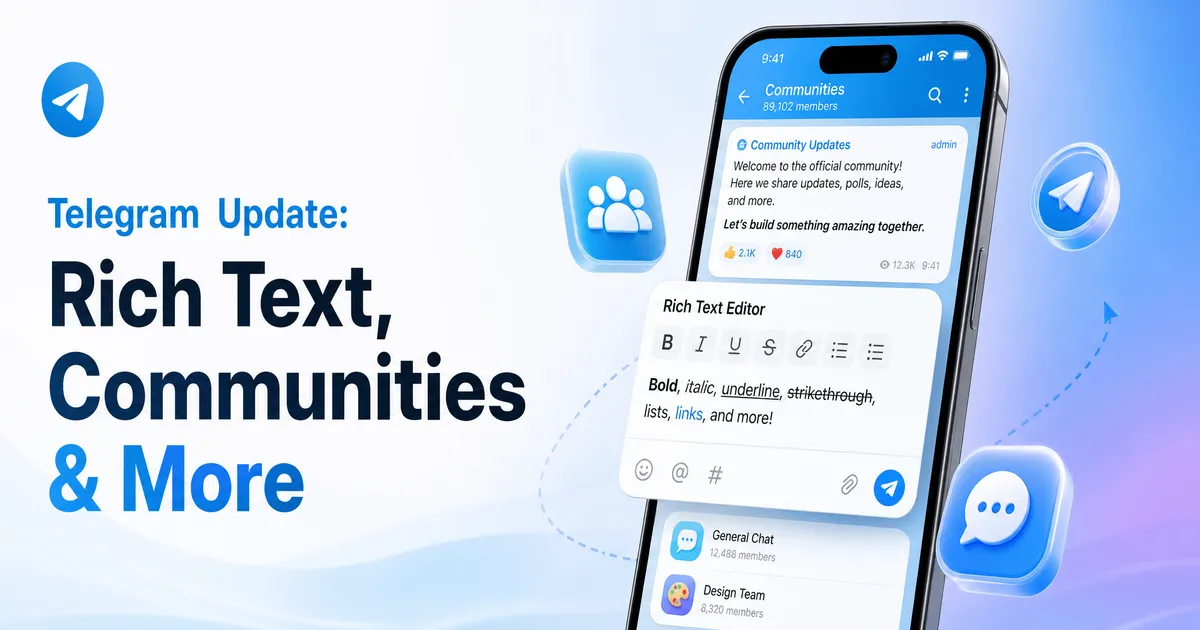
Complete Guide to Telegram’s Update: Rich Text, Communities, and Ephemeral Messages
The latest Telegram update introduces a powerful suite of tools designed to change how users write, manage groups, and interact with bots. With features ranging from a high-capacity Rich Text Editor for long-form content to collaborative "Communities" that link multiple chats together, this update provides significant upgrades for casual users, content creators, and group administrators alike.
If you are short on time, here are the core features introduced in the latest Telegram update:
Rich Text Editor: An advanced, visual text editor allowing tables, quotes, and inline media, capable of sending up to 32,768 characters per message (Exclusive to Telegram Premium).
Communities: A new feature to link multiple channels, groups, and bots together into a single organized hub, without needing invite links.
Ephemeral Messages in Groups: Bot replies that are only visible to the user who triggered them, drastically reducing chat clutter.
350 Million GIFs: A completely private, offline-indexed GIF search engine supporting 36 languages.
For content creators and community managers, this update addresses major pain points. Previously, organizing related subgroups or formatting long posts required cumbersome workarounds. Now, the introduction of Communities allows seamless navigation between associated chats. Meanwhile, the Rich Text Editor transforms Telegram into a viable platform for micro-blogging and detailed article publishing. Finally, the privacy enhancements—from invisible bot commands to offline GIF indexing—ensure that users can interact with AI and search tools without compromising their personal data.
H2: Telegram Premium's Rich Text Editor
Telegram is expanding beyond simple messaging into robust content creation. The new Rich Text Editor is designed for writing blogs, articles, and comprehensive posts.
This advanced visual editor is optimized for both mobile and desktop platforms. Users can format their text with headings, lists, quotes, and code blocks, and even insert photos and videos directly into the middle of a message.
For users who want to push the limits of messaging, the character limit has been massively expanded; you can now send up to 32,768 characters in a single message. Additionally, the editor integrates Cocoon-powered AI tools, which allow users to generate text, mathematical formulas, or tables with full privacy.
Note: The Rich Text Editor is currently available exclusively to Telegram Premium subscribers.
H2: Introducing Telegram Communities
To help administrators better organize related topics, Telegram has launched Communities. This feature allows you to link several channels, groups, or bots together under a shared topic.
Members can join other chats within the same community instantly, entirely bypassing the need for invite links.
Key Community Features:
Space-Saving Design: Communities can be toggled to appear as separate chats in your list or as one consolidated chat item that expands when tapped.
Granular Visibility: Chats within a community can be made Visible to everyone, or Hidden from all users except community admins and existing chat members.
Collaborative Additions: By default, any member can add more chats to a community. However, admins can restrict this in the settings; when restricted, member additions will show up as suggestions for admin approval.
H2: Ephemeral Bot Messages in Groups
Managing bots in busy groups just got much easier. Building on the previously released "guest bot mode," bots can now send ephemeral messages that do not clutter the group chat for everyone else.
Bots can now send greetings, private AI summaries, error messages, confirmations, or interactive menus that are visible only to a specific person. These ephemeral messages can be sent at any time or triggered by specific commands, which are clearly highlighted in the bot menu with a special icon.
H2: Enhanced, Private GIF Search
Telegram has overhauled its GIF panel, introducing a search library of over 350 million GIFs across 36 languages.
What sets this apart from other messaging apps is the privacy infrastructure. The new search is powered by offline indexing using Cocoon's open-source AI models. This means all GIF searches on Telegram are entirely private, do not rely on third parties, and execute much faster than before.
Step-by-Step Guide: Managing a Telegram Community
If you are an administrator looking to set up a Community, follow these best practices for optimal organization:
Link Your Chats: Connect your relevant channels, groups, and bots into a single community hub.
Set Visibility Rules: Decide which chats should be public. Keep sensitive or admin-only groups set to Hidden so they are only visible to high-level members.
Adjust Member Permissions: To prevent spam, navigate to your community settings and restrict the ability of standard members to add new chats. This will turn their additions into reviewable suggestions.
Organize Your Chat List: Choose whether you want the community to display as an expanded list of separate chats or consolidated into a single, space-saving folder item.
Best Practices
Use Hidden Groups for Admins: As Telegram notes, it's wise to keep a hidden group specifically for your community administrators or "High Priests" to share behind-the-scenes information.
Leverage AI for Formatting: Take advantage of the Cocoon AI tools within the Rich Text Editor to automatically generate complex tables or formulas for your technical posts.
Common Mistakes
Forgetting Chat Permissions: Leaving the "add chats" feature collaborative by default could result in members cluttering your community with unrelated groups. Always review your settings.
Ignoring Ephemeral Commands: Using standard bot commands in a large group can spam the chat history. Switch to ephemeral commands (marked with a special icon) to receive private replies.
Practical Examples
The "Cult 101" Model: A large community might have a visible general chat, a visible announcements channel, and a Hidden group exclusively for community administrators to collaborate in private.
Private Bot Interactions: A user requesting an AI summary of a missed conversation will receive that summary as an ephemeral message, ensuring other group members don't have to scroll through AI text meant for someone else.
Expert Tips
To maximize the impact of your long-form content, use inline media. Breaking up your 32,000-character posts with strategically placed photos and videos in the middle of the text will drastically improve readability and engagement.
Frequently Asked Questions
Is the Rich Text Editor free to use? No, the new Rich Text Editor is currently a Telegram Premium exclusive feature.
What is the character limit for the new Rich Text Editor? Premium users can send up to 32,768 characters in a single message using the editor.
Are my GIF searches private? Yes. Telegram's new GIF search utilizes offline indexing and open-source AI models, ensuring your searches are completely private and independent of third parties.
Do I need an invite link to join a community chat? No, if a chat is part of a community and marked as visible, you can join it directly from the community hub without needing a separate invite link.
Key Takeaways
Rich Text Editor: Premium users gain a powerful tool for publishing long, deeply formatted posts with inline media and AI assistance.
Communities: Admins can seamlessly connect multiple chats into one manageable ecosystem with deep customization over visibility and user permissions.
Ephemeral Messages: Bot interactions in groups are now privately visible to the initiating user, removing chat clutter.
GIF Search: A massive, completely private library of 350 million GIFs is now available, powered by offline AI indexing.
Conclusion
Telegram’s latest update significantly elevates the platform's capabilities for power users and community builders. By introducing Premium publishing tools, streamlined community hubs, and powerful privacy enhancements for bot and GIF interactions, Telegram continues to differentiate itself as a feature-rich, privacy-conscious messaging ecosystem.
Business Scoped - The Ultimate Guide to WhatsApp Usernames and Business-Scoped User IDs (2026)
Community Discussion
Loading comments...
Join the Conversation
Log in to post your thoughts, ask questions, and engage with authors and developers.
Log in to Comment