Guide to Threads Parental Supervision Tools: Features & Setup
Discover how Meta's new parental supervision tools on Threads allow guardians to monitor screen time, set limits, and manage privacy via the Family Center.
Author
Shalimar Mehra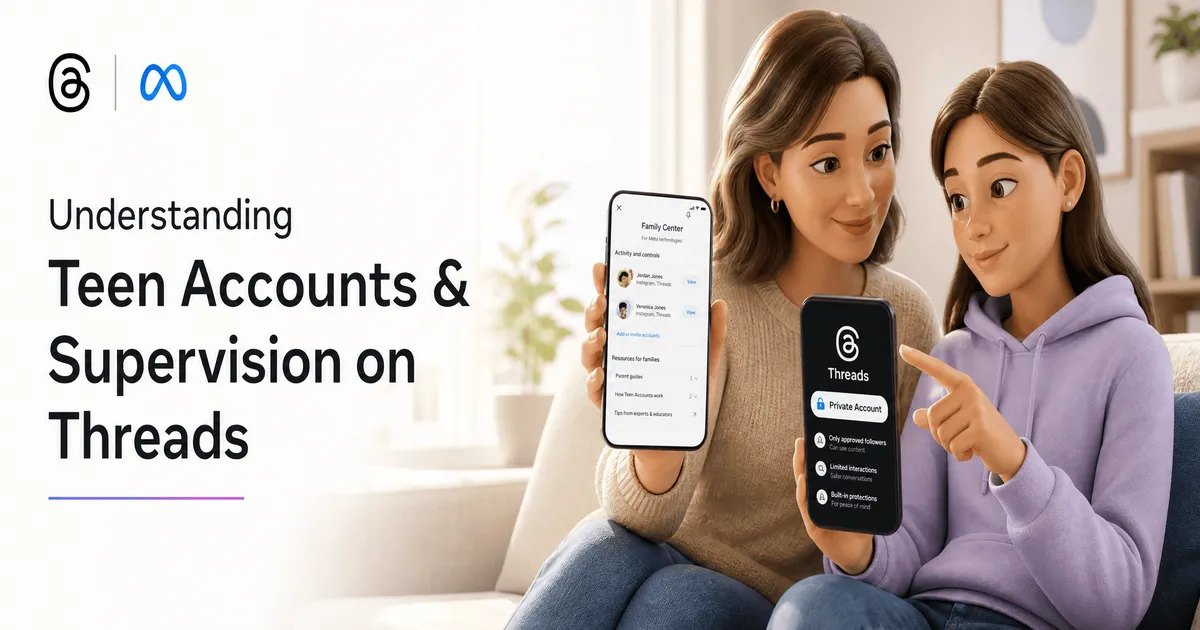
Comprehensive Guide to Threads Parental Supervision Tools
Understanding Teen Accounts on Threads
Before utilizing the new supervision features, it is important to understand the baseline protections already in place. Teen Accounts on Threads come with automatic, built-in protections.
Built-in Protections vs. Supervised Controls
Feature Category | Default Teen Account Protections | Supervised Account Enhancements |
|---|---|---|
Account Privacy | Accounts are set to private automatically. | Parents manage and approve changes to privacy settings. |
Content Limits | Built-in limits on the content teens see. | Parents manage and approve sensitive content preferences. |
Setting Adjustments | Strict settings are locked by default for users under 16. | Parents decide if teens under 16 can make settings less strict. |
Core Supervision Features
Once supervision is activated, guardians gain access to five primary tools designed to promote healthy digital habits:
See Time Spent: Parents can view exactly how much time their teen spends on Threads daily over the past week, alongside the average daily time spent.
Set Time Limits: Guardians can establish strict daily time limits. They can also completely block access to the app during specific days and hours.
Adjust Sleep Mode: To protect sleep habits, parents can restrict Threads access at night.
Manage Tagging: Parents have full control over who is allowed to tag their teen in Threads posts.
Manage Privacy & Content Preferences: Guardians can actively manage and approve their teen’s sensitive content preferences and core privacy settings.
Step-by-Step Guide: Setting Up Supervision
(Note: These features begin rolling out to US users in late July 2026.)
Navigate to the Hub: Open a web browser and visit
familycenter.meta.com/supervision.Link Accounts: Follow the on-screen prompts within the Family Center to link your parent account with your teen's Threads account.
Review Insights: Once connected, utilize the dashboard to view the past week's screen time data.
Configure Limits: Set your preferred daily time limits, sleep mode hours, and tagging permissions.
Original Source - Thread Parental Control
Telegram Update - Complete Guide to Telegram’s Update: Rich Text, Communities, and Ephemeral
Community Discussion
Loading comments...
Join the Conversation
Log in to post your thoughts, ask questions, and engage with authors and developers.
Log in to Comment